



An AI marketing workflow saves time only if the whole task gets faster, not only the first draft. Time one task by hand, then time the AI version from setup to a finished result you would publish, including review and fixes. If the AI total is clearly lower and quality holds, adopt it. If not, keep the manual method.
That sounds obvious, yet AI time savings are easy to measure at the wrong moment. Someone watches a tool produce five captions in ten seconds and calls it a win. Nobody times the twenty minutes spent checking the offer, fixing a wrong date and rewriting the line that sounded nothing like the brand.
This guide gives you a fair test you can run on one marketing task in about a week. You need a timer, a notes sheet and a task your team already does often. At the end you get a decision that someone else on your team can read and check: adopt, keep testing or hold.
The three rules of a fair AI versus manual test.
A fair test compares the same task, done to the same finished standard, with every minute counted. Change any one of those three things and the result stops meaning much.
Here are the plain definitions this guide uses.
- Workflow. The steps you follow to get a task from start to finished. An AI workflow is the same thing with an AI tool doing part of the work.
- Baseline. How long the task takes today, done by hand, by the person who normally does it.
- First draft. Whatever the AI tool hands back before anyone touches it.
- Finished result. The version you would publish, send or hand to a client, with every required detail correct.
If terms like prompt or model are new to you, our plain guide to common AI terms covers them in a few minutes. For this test, a prompt is the instruction you type into the tool, and the model is the system that writes the reply.
The first draft is the smallest part of the job.
The first draft is the part everyone sees, so it gets all the attention. The work that decides your time saving sits underneath it. You write the prompt, wait, read the draft, fix what is wrong, then format it and pass it on.
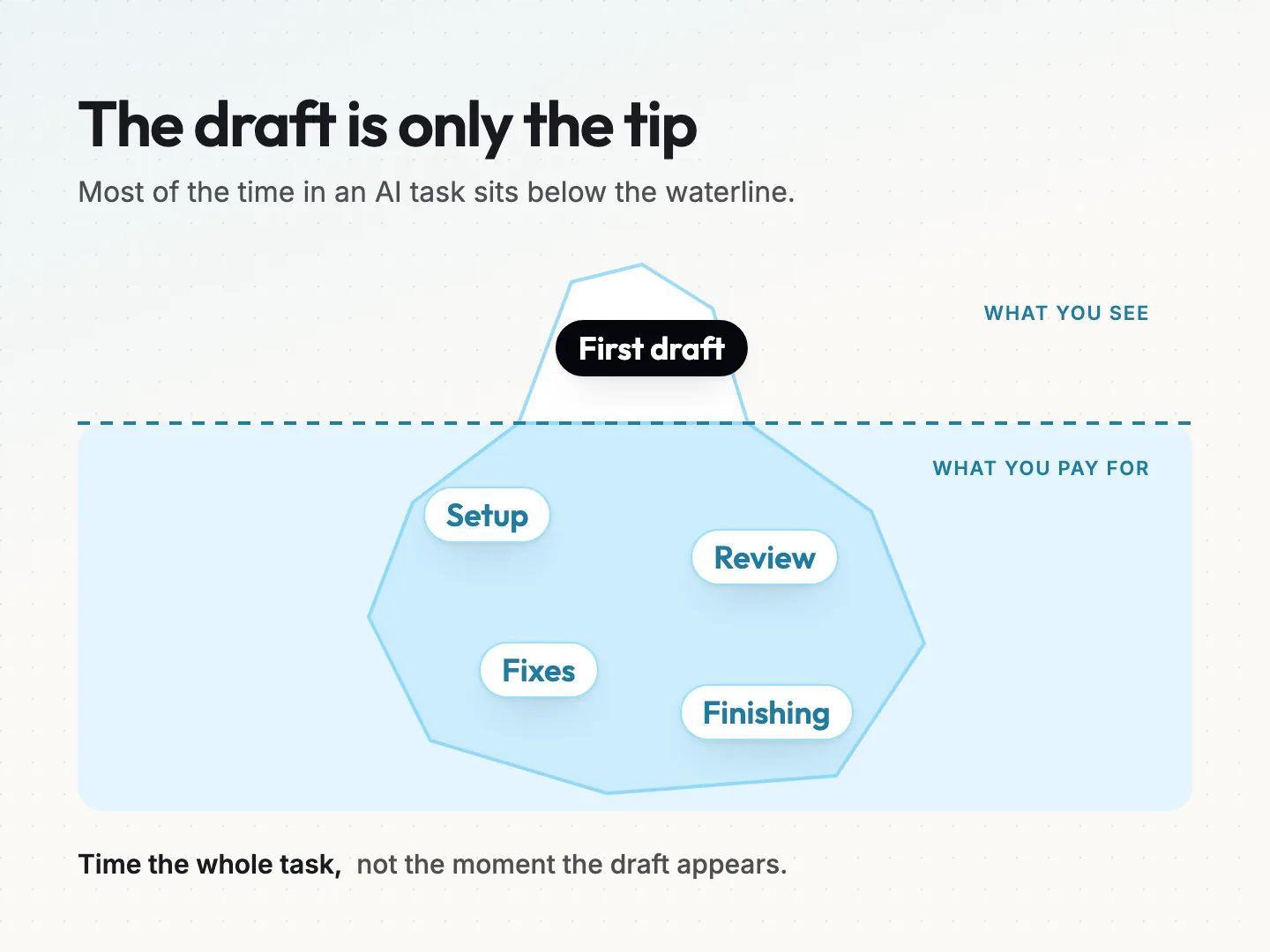
Think of it like an iceberg. The draft is the tip. Setup, review, fixes and finishing are the bulk below the waterline. A tool that writes in seconds can still lose to a person if the checking takes longer than writing it yourself would.
One more rule before you start. You are testing one task, not “AI in general.” A tool can be slower for captions and faster for subject lines. Each task earns its own decision.
Pick one marketing task with a clear finished result.
The best first test is a task that repeats often, follows clear rules and has a finished version you can recognize on sight. A mistake should also be cheap to catch before anything goes out.
Good candidates for a small team include these.
- Turning one blog post into a set of social captions.
- Writing five subject line options for a newsletter.
- Summarizing a long client brief into a one page outline.
- Rewriting a product description in a shorter format for a marketplace listing.
Poor first candidates are tasks that happen twice a year, tasks where nobody agrees what good looks like, and anything where one wrong word creates a legal or pricing problem. Save those for later, once you trust the method.
Write down what finished looks like.
Before you time anything, write a short definition of done for the task. List the details that must be right every time. For a caption set from a blog post, that might be the offer, the audience, the link, the date, the call to action, the brand tone and any words you never use.
This list does two jobs. It tells the manual version when to stop, and it gives you a fair way to check the AI version later. If you already use a written brief, our one-page creative brief template is a good place to borrow the required details from.
Check what data the AI tool may see.
Decide what you will paste into the tool before the test starts. Use only material you are allowed to share, such as published posts or approved copy. Leave out customer names, private client files and anything under a confidentiality agreement unless you have checked the tool’s data settings and your own agreements.
If the tool needs to connect to your email, files or social accounts, review the requested access before granting it.
For a wider frame, the NIST AI Risk Management Framework is a free, voluntary guide from a U.S. standards agency. It was released on January 26, 2023, and as of October 2026 NIST says it is being revised. It is general risk guidance and does not certify or rate any tool.
Time the manual version before you open an AI tool.
Time the manual version first, so the AI result has something honest to beat. Do the task by hand three to five times, timing from the moment you start to the moment the finished result is ready, including your own final check.
Use the person who normally does the task, working at their normal pace. Do not rush because a timer is running. Do not count a run where you were interrupted for an hour, but do count the ordinary small pauses that happen every time.
Write each run down in your notes sheet like this.
| Run | Date | Minutes | Notes |
|---|---|---|---|
| 1 | Monday | 34 | Had to look up the event date |
| 2 | Tuesday | 30 | Normal run |
| 3 | Wednesday | 28 | Short source post |
*Hypothetical example for illustration only.*
Use the middle number, not the best run.
Take the median, which is the middle value once you sort your runs from fastest to slowest. In the example above, the runs sorted are 28, 30 and 34, so the median is 30 minutes. The median ignores one unusually quick or slow run, so it reflects a normal day better than your best effort does.
Resist the urge to use your fastest run. If you compare the AI version against your best day, you will undercount what the manual method costs. If you compare it against your worst day, you will flatter the tool.
Time the AI version, including every minute after the draft.
Time the AI version in five stages, and keep the clock running until you reach the same finished result as the manual runs. Stopping when the draft appears is the easiest mistake to make in this kind of test.
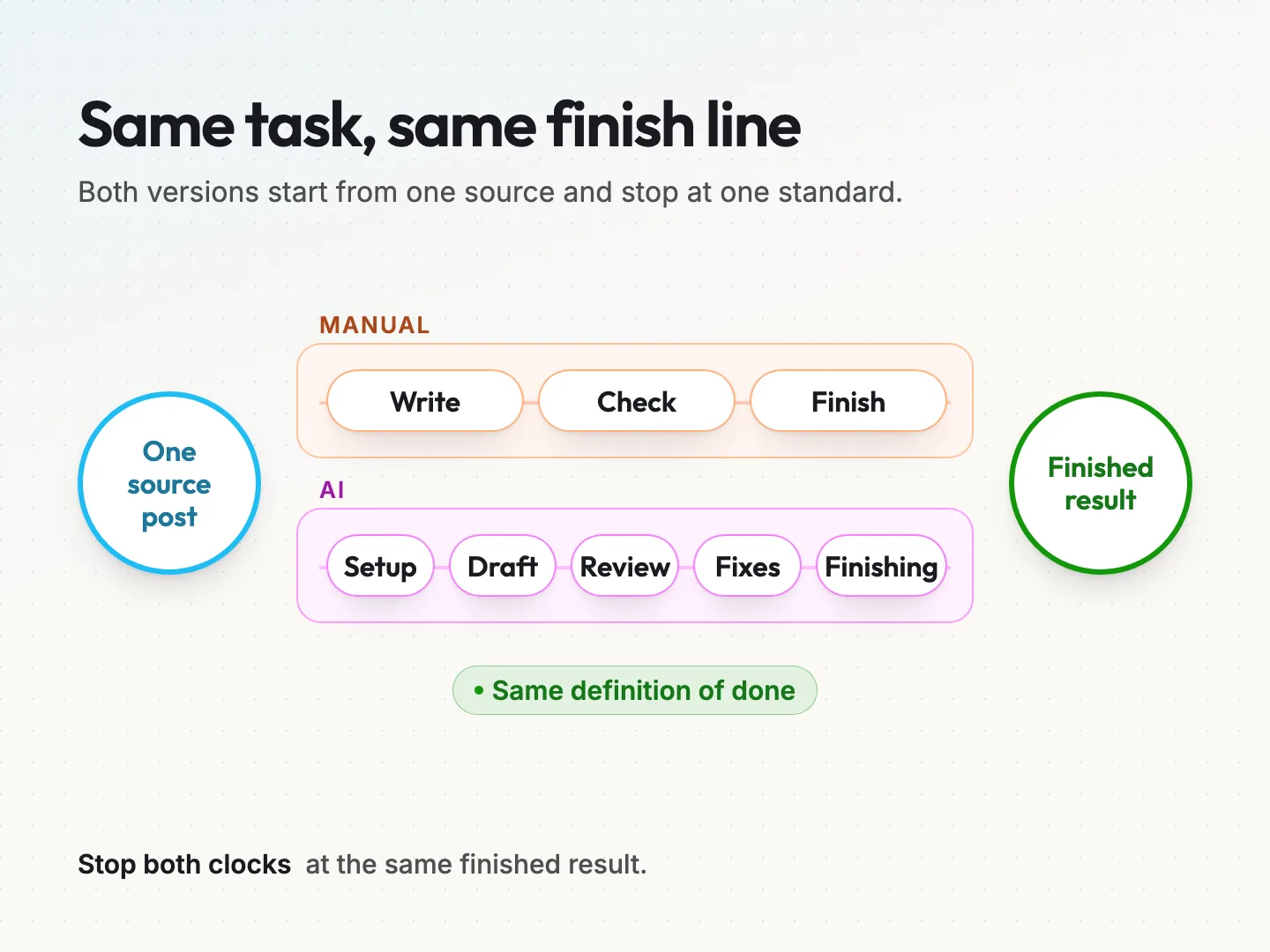
The five stages are these.
- Setup. Opening the tool, pasting the source material and writing or adjusting the prompt.
- Draft. Waiting for the tool to respond, including any retries you ask for.
- Review. Reading the draft against your definition of done, line by line.
- Fixes. Correcting wrong details, rewriting off brand lines and filling gaps.
- Finishing. Formatting, adding links, saving in the right place and handing it on.
Run the AI version on the same kind of source material you used for the manual runs. Do it the same number of times, three to five. Keep every attempt, including the ones where the draft was so far off that you started over. Those failed runs are part of the real cost.
Start from a clear prompt template.
A vague prompt makes the review and fix stages longer, which skews the test against the tool. Give it a fair chance with a prompt that states the task, the required details and what it must not change. Here is a simple template you can copy.
> Turn the blog post below into four social captions for a small business audience. Keep this offer exactly as written: [offer]. Use this link: [link]. Mention this date: [date]. Use a friendly, plain tone. Do not invent prices, statistics or claims. Do not change the offer wording. Post: [paste post].
If you want more starting points, the free AI prompt pack has prompts for common marketing tasks. Use the same prompt for every AI run in the test, so you are measuring the workflow and not your prompt writing improving from run to run.
Avoid these timing mistakes.
Three mistakes can skew a homemade test. The first is stopping the clock when the draft appears. The second is leaving out the runs that went wrong, which makes the tool look more reliable than it was. The third is testing on easier material than the manual runs used, such as a short post instead of a long one.
Keep the conditions the same and the comparison stays fair. If something unusual happens during a run, write it in the notes column rather than deleting the run.
A demo is not your test.
A vendor demo shows the tool on its best material, with no review and no brand rules. That tells you what the tool can do. It does not tell you what it does with your posts, your offers and your standard of finished. Only your own runs count here.
Work out the real difference in time and cost.
Once you have both medians, the arithmetic is short. Subtract the AI total from the manual time, multiply by how often you do the task, and then weigh that against what the tool costs each month.
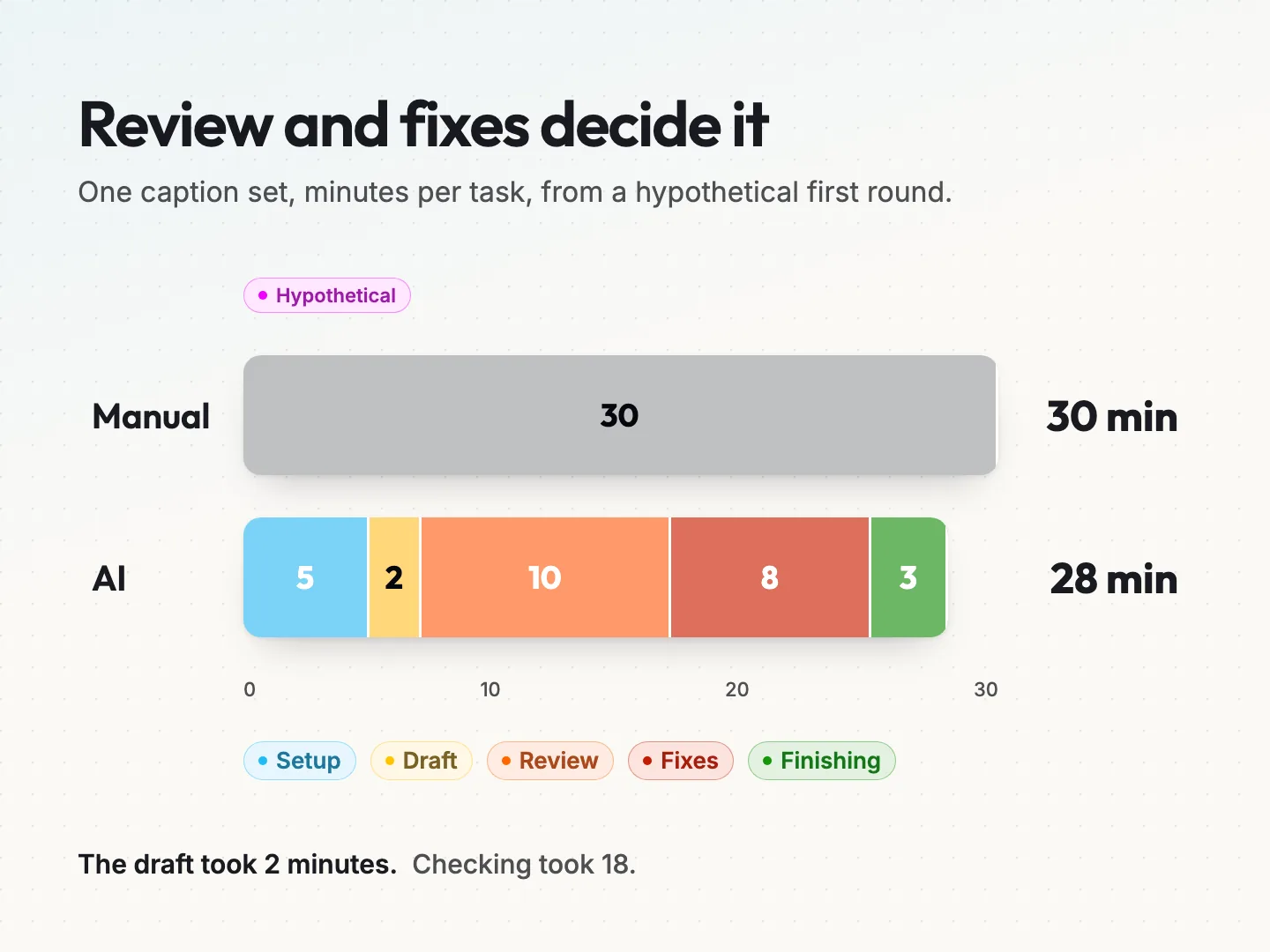
Here is a hypothetical example with round numbers. Say the manual median for one caption set is 30 minutes. The AI version takes 5 minutes of setup, 2 minutes of drafting, 10 minutes of review, 8 minutes of fixes and 3 minutes of finishing. That adds up to 28 minutes.
The draft took 2 minutes, yet the AI version saved only 2 minutes per task. Review and fixes took 18 of the 28 minutes. Watch for that pattern in your own early tests. The generation speed rarely decides the answer. The checking does.
Use this worksheet with your own numbers.
Work through these steps on paper or in a spreadsheet. The worked figures in brackets continue the hypothetical example.
- Tasks per month. How often you do this task. (20 caption sets.)
- Manual median minutes. From your manual runs. (30 minutes.)
- AI median minutes. Setup plus draft plus review plus fixes plus finishing. (28 minutes.)
- Minutes saved per task. Step 2 minus step 3. (2 minutes.)
- Hours saved per month. Step 1 times step 4, divided by 60. (20 times 2 is 40 minutes, about 0.67 hours.)
- Labor value saved. Step 5 times the hourly cost of the person doing the work. (At $40 an hour, about $27.)
- Net monthly result. Step 6 minus the monthly tool cost. (With a $20 tool, about $7.)
In this example the tool barely pays for itself. A close result like that is a reason to keep testing, not a reason to adopt.
See how review time changes the answer.
Now suppose you tighten the prompt and add your required details up front. In a second round, review drops to 6 minutes and fixes drop to 3 minutes. The AI total becomes 5 plus 2 plus 6 plus 3 plus 3, which is 19 minutes.
That saves 11 minutes per caption set. Across 20 sets a month, that is 220 minutes, or about 3 hours and 40 minutes. At $40 an hour that is about $147 in labor, or about $127 after the $20 tool. Same tool, same task, a different answer, because the checking got shorter.
If step 4 comes out negative, the manual method is faster for this task right now. That is a perfectly useful result.
Check quality detail by detail, not by feel.
A time saving only counts if the finished result passes the same quality check as the manual version. Check every AI draft against your definition of done before you fix it, one detail at a time, and record a pass or a fail for each.
Reading a draft and thinking “this looks fine” is not a check. AI drafts tend to read smoothly even when a detail is wrong, so a quick read can miss the problem. A changed offer, a shifted date or an invented claim can sit inside a perfectly fluent sentence.
Use a small table like this for each run.
| Required detail | Run 1 | Run 2 | Run 3 |
|---|---|---|---|
| Offer exactly as written | Pass | Pass | Fail |
| Correct link | Pass | Pass | Pass |
| Correct date | Pass | Fail | Pass |
| Brand tone | Pass | Pass | Pass |
| No invented claims | Pass | Pass | Pass |
*Hypothetical example for illustration only.*
A single missing or changed detail fails the whole draft, however fast it arrived. In the table above, runs 2 and 3 each fail once. You would fix those details before publishing, and the fix time belongs in the fixes stage of your timing. Then check the finished version again, because it must pass every detail.
If your test task touches claims about results, pricing or promises, run the finished version through a source-quality check before it goes anywhere. For a fuller method, see our guide on how to review AI assisted content before it is published.
Decide whether to adopt, keep testing or hold.
Make the decision from two things only: the time after fixes and the quality pass rate. Tool brand, price and how impressive the demo looked do not belong in the decision.
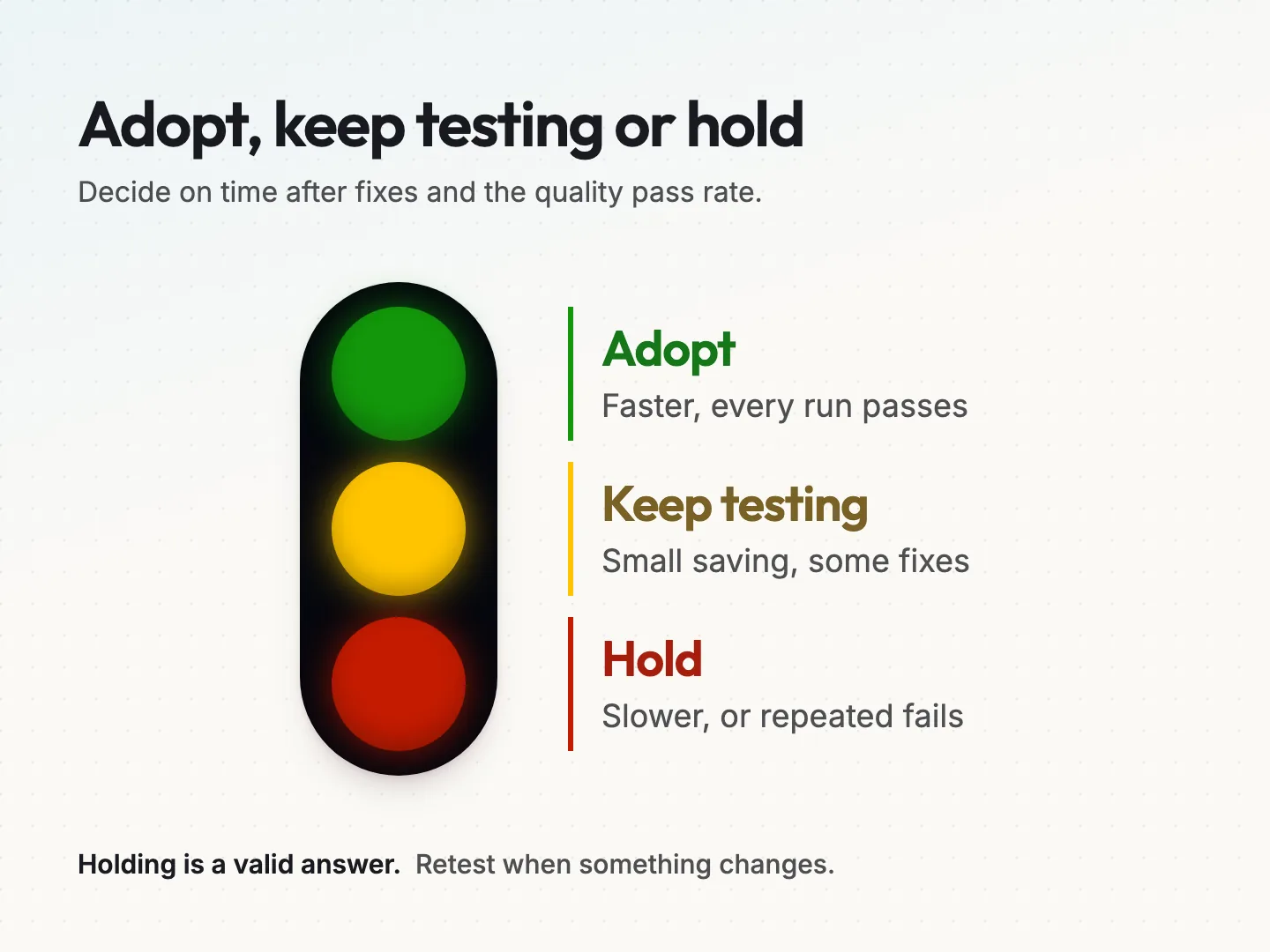
Use these three outcomes.
| Decision | When it applies | What happens next |
|---|---|---|
| Adopt | AI total is clearly lower and every finished run passes quality | Write the AI steps into your process and retest in three months |
| Keep testing | Saving is small, or some drafts failed checks before fixes | Change one thing, such as the prompt or source format, and run again |
| Hold | AI is slower after fixes, or the same detail keeps failing | Keep the manual method and note what would make you retest |
Decide what “clearly lower” means before you see the results. A simple rule is that the saving must cover the tool cost with room to spare. In the first hypothetical round, a net result of about $7 a month is not clearly lower. In the second round, about $127 a month would be.
Holding is not a failure. It protects the quality of your marketing while the tool or your process matures. A held task can be retested in a few months with a new prompt, a newer tool or cleaner source material.
Fill in your adoption or hold record.
Write the decision down so someone else can check it later. A record also stops the same debate from starting again every few weeks. Copy this template into a document or spreadsheet and fill in one per task.
| Field | What to write |
|---|---|
| Task tested | One sentence, such as “four social captions from one blog post” |
| Definition of done | The required details you checked on every run |
| Data used | What material went into the tool and what was left out |
| Manual runs | Number of runs and the median minutes |
| AI runs | Number of runs and the median for each of the five stages |
| Quality result | Runs passed out of runs tested, and which details failed |
| Monthly volume | How many times a month you do this task |
| Net monthly result | Hours and labor value saved, minus the tool cost |
| Decision | Adopt, keep testing or hold |
| Reason | One or two sentences tied to the numbers above |
| Who reviews AI drafts | The person responsible for checking before anything goes out |
| Retest date | When you will run the test again |
| Decided by and date | The name of the person who made the call and when |
Keep the record next to your process notes. When a new team member asks why captions are written by hand, or why the AI step exists, the answer is already there with the numbers behind it.
Marketing tasks that suit an AI first draft.
Tasks that reshape existing approved material tend to suit an AI first draft best. Tasks that create new claims, set prices or need final approval should stay with a person. This is general editorial guidance, so your own test results always win.
Tasks that often test well include these.
- Variations of approved copy, such as several subject lines from one email.
- Reformatting, such as turning a long post into shorter social captions.
- Summaries of material you supply, such as notes from a long brief.
- First outlines for content a person will then write and check.
Tasks to keep with a person include these.
- Claims about results, prices, promises or comparisons with competitors.
- Legal wording, terms and anything regulated in your industry.
- Final approval before anything is published or sent.
- Replies to complaints or sensitive customer messages.
For more ideas of where AI fits a small business, browse our list of practical AI use cases. Planning to connect several AI steps into a larger system? Read about the most common AI system design mistakes first. A weak link in one task tends to spread to the next.
Final thoughts on testing AI against manual work.
The question is never whether AI is fast. It is whether your whole task, checked and finished, gets faster without losing quality. You can answer that for one task in about a week with a timer, a definition of done and an honest count of every minute after the draft.
Start with the most repetitive task on your list. Run the manual version first, then the AI version, then fill in the record. If the numbers say hold, you have lost nothing and learned what to change. If they say adopt, you have a process you can defend.
If you would like help designing the test or building the AI steps into your process, our AI content workflow automation service covers that work. Pick one marketing task you would like to test, then talk to a specialist about running it before you change how your team works.
Was this article helpful?
Part of the free path Mastering AI Automation.


