


Blog articles bring in customers when each one answers a question buyers already ask, puts that answer first, backs it with proof only your business has and points to one next step. Plan each article with a short brief, let AI assist but check every claim, then share it where buyers ask.
“Bring in customers” here means the article starts a conversation. A reader calls, books a consultation or asks for a quote. The sale still happens with you, not on the page.
This guide gives you a seven-step workflow you can repeat for every article. It covers the topic, the brief, the answer, the proof, safe AI use, publishing and sharing, then how to track results. Each step is small. Together they turn a blog from a traffic report into a source of inquiries.
What makes a blog article bring in customers.
Most business blogs get judged by visits. Visits are nice, but they do not pay the bills. An article earns its place when the right reader finishes it and takes the next step.
Three plain terms help here. An inquiry is any contact a reader starts, such as a form, a call or an email. A qualified lead is an inquiry from someone who fits your services, budget and area. A next step, often called a call to action (CTA), is the one thing you invite the reader to do after reading.
So the goal is not more traffic. The goal is a better first conversation. A reader who arrives from a useful article already knows how you think, what you do and what to ask. That makes the first call shorter and the decision easier.

What happened to old-style article marketing.
“Article marketing” used to mean something specific. Businesses wrote short articles, submitted them to directories and article sites, and packed them with keywords and links back home. The aim was backlinks and volume, not readers.
That tactic faded as search engines got better at judging quality. Thin directory articles stopped helping, and the sites that hosted them lost their value. Google’s guidance now says that using automation to produce content mainly to manipulate search rankings breaks its spam policies.
What replaced it is simpler. You publish useful articles on your own site, written for people who might buy from you. The label changed, but the core idea still works: teach first, and the selling gets easier.
What one article can and cannot do.
One good article can answer a buying question better than a rushed sales call. It keeps working for months, and it gives your team something to send. It can also warm up a reader before they ever speak to you.
It cannot fix a weak offer, an unclear price or slow follow-up. If inquiries sit unanswered for three days, no article will save the deal. Treat each article as one part of how you sell. Planning a whole program of articles is a bigger job, covered by content strategy.
Step 1: Pick one buyer question your team answers well.
The best topics are already in your inbox. Every week, buyers ask your sales and support people the same handful of questions. Those questions reveal search intent, which means what a person wants to find out when they type a search.
Spend one week collecting them. Ask whoever answers the phone, replies to quote requests or handles support to write down every question they hear. Look through sent emails and old proposals too. You will usually find the same questions phrased a dozen different ways.
Then pick one question with a decision behind it. “How long does a kitchen remodel take?” is a planning question. “Should I repair or replace my roof?” is a buying decision. The second kind tends to bring inquiries, because the reader is close to choosing.
Run each question through this short filter before you commit.
- A real buyer asked it in the last few months.
- Your team answers it well and with confidence.
- The answer helps the reader make a decision.
- A service or next step on your site fits the answer.
A question that passes all four is worth an article. Whether the topic will still matter in three years is a separate question. The guide to creating evergreen content covers how to choose topics that last and how to keep them current.
One more tip. Write the question down in the buyer’s own words, not your industry’s. Buyers search for “why is my AC blowing warm air”, not “refrigerant charge diagnostics”. Their words become your title, your first heading and your opening line.
Step 2: Write a one-page brief before anyone drafts.
A brief is a short planning note that says what the article must do before anyone writes a word. It prevents the most common problem in business blogging: a well written article that answers the wrong question.
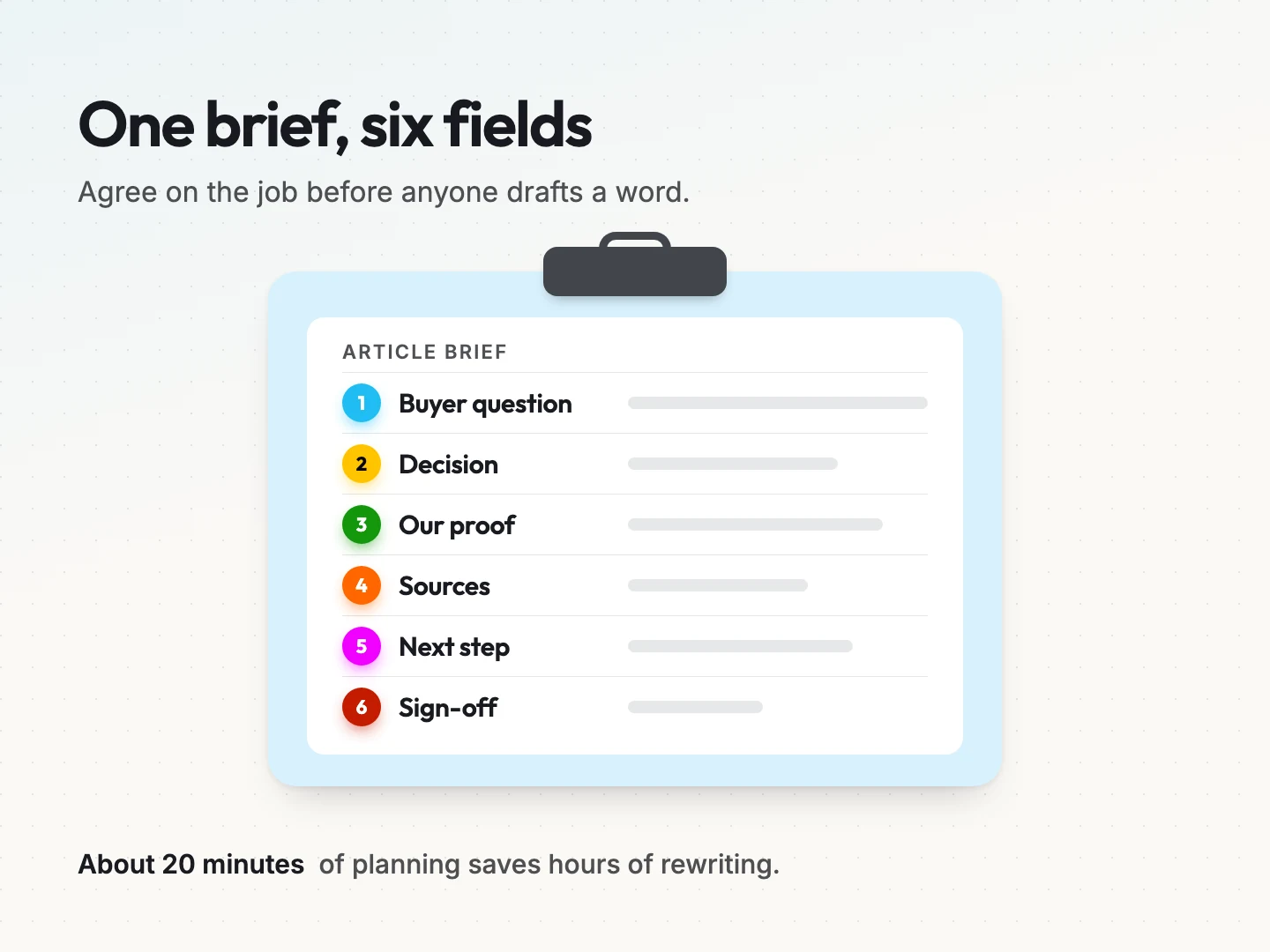
Keep it to one page with six fields. You can copy this list straight into a document.
- Buyer question. The exact words a buyer used, such as “Do I need a permit for a deck?”
- Decision it supports. What the reader will decide after reading, such as whether to hire a builder this season.
- Our proof. The evidence only your business can add, such as photos, steps, a worked example or a permissioned review.
- Sources. The official or original pages you will cite for any fact you did not produce yourself.
- Next step. The single action you want the reader to take, with the page it links to.
- Sign-off. The person who checks the facts and approves the article before it goes live.
Here is a hypothetical brief for a small landscaping company. The buyer question is “When should I aerate my lawn?” The decision is whether to book fall lawn care now. The proof is before and after photos from the company’s own jobs. The source is the local university extension service. The next step is the lawn care booking page, and the owner signs off.
Notice what the brief leaves out. It has no target word count and no list of keywords to repeat. Length follows the question, and the buyer’s own words already carry the keywords.
The brief takes about 20 minutes. It saves hours of rewriting, because everyone agrees on the job before the draft exists. It also gives whoever drafts the article, a person or an AI tool, a clear target to hit.
Step 3: Put the answer first for readers, search and AI.
Busy readers decide in seconds whether an article will help them. So answer the question in the first 40 to 60 words. Say it plainly, as you would to a customer on the phone. Spend the rest of the article explaining, proving and adding detail.
That opening also serves search engines and AI answers. AI answers are the short summaries that Google’s AI Overviews and AI Mode, or chat assistants, write in reply to a question. A clear early answer is easy for them to find and quote.
Google is direct about what this takes. Its page on AI features and your website, last updated on 10 December 2025, says you need no special markup, AI text files or new schema for AI Overviews or AI Mode. The page must be indexed and eligible to show with a snippet, the short text preview under a search result.
The usual SEO basics apply. SEO, short for search engine optimization, means making a page easy for search engines to find and understand.
In practice, that comes down to a few habits.
- Write headings that match how people ask, where it reads naturally. “How long does a deck permit take?” works better than “Timelines”.
- Keep important facts in the text, not only in images or downloads.
- Use one idea per paragraph, so each part makes sense on its own.
- Link to the article from related pages on your site, so it is easy to find.
- Let search engines crawl the page, and check that nothing blocks it.
No trick can promise a citation in an AI answer. Google’s page says that meeting the requirements does not mean a page will be crawled, indexed or shown. What you control is a clear answer on a page that is easy to reach.
A sample answer-first opening.
Here is a hypothetical opening for a roofing company answering “Should I repair or replace my roof?”
“Repair your roof if the damage covers a small area and the roof is under 15 years old. Replace it if leaks keep coming back, shingles are curling across the whole roof or the decking feels soft. A free inspection tells you which case you are in.”
That opening runs about 50 words. It gives the answer, the conditions and the next step. Everything after it in the article explains how to spot each sign, with photos from real jobs.
Step 4: Add proof only your business can give.
Anyone can write a general answer. Proof is what makes a reader trust yours. It is also the part a competitor or an AI tool cannot copy, because it comes from your own work.
Good proof for a small business is usually simple.
- Process steps. Show how you do the job, in order, with the checks you make.
- Photos of real work. Your own job sites, workshop, products or screens, each with a short caption.
- Permissioned reviews. A customer quote used with their approval, with a first name and town if they agree.
- Worked examples. A sample calculation, quote breakdown or timeline. If it is invented, label it as hypothetical.
- Common mistakes you see. What goes wrong when people skip a step, told without naming anyone.
Know what to leave out. Never invent numbers, results or quotes. Never use a stock photo as if it showed your team. Avoid industry statistics you cannot trace to a named, dated source you have read yourself.
Here is a quick test. Could a competitor publish this article with only the business name changed? If the answer is yes, add more proof. If it is no, you have something worth reading.
Step 5: Let AI assist, then check every claim yourself.
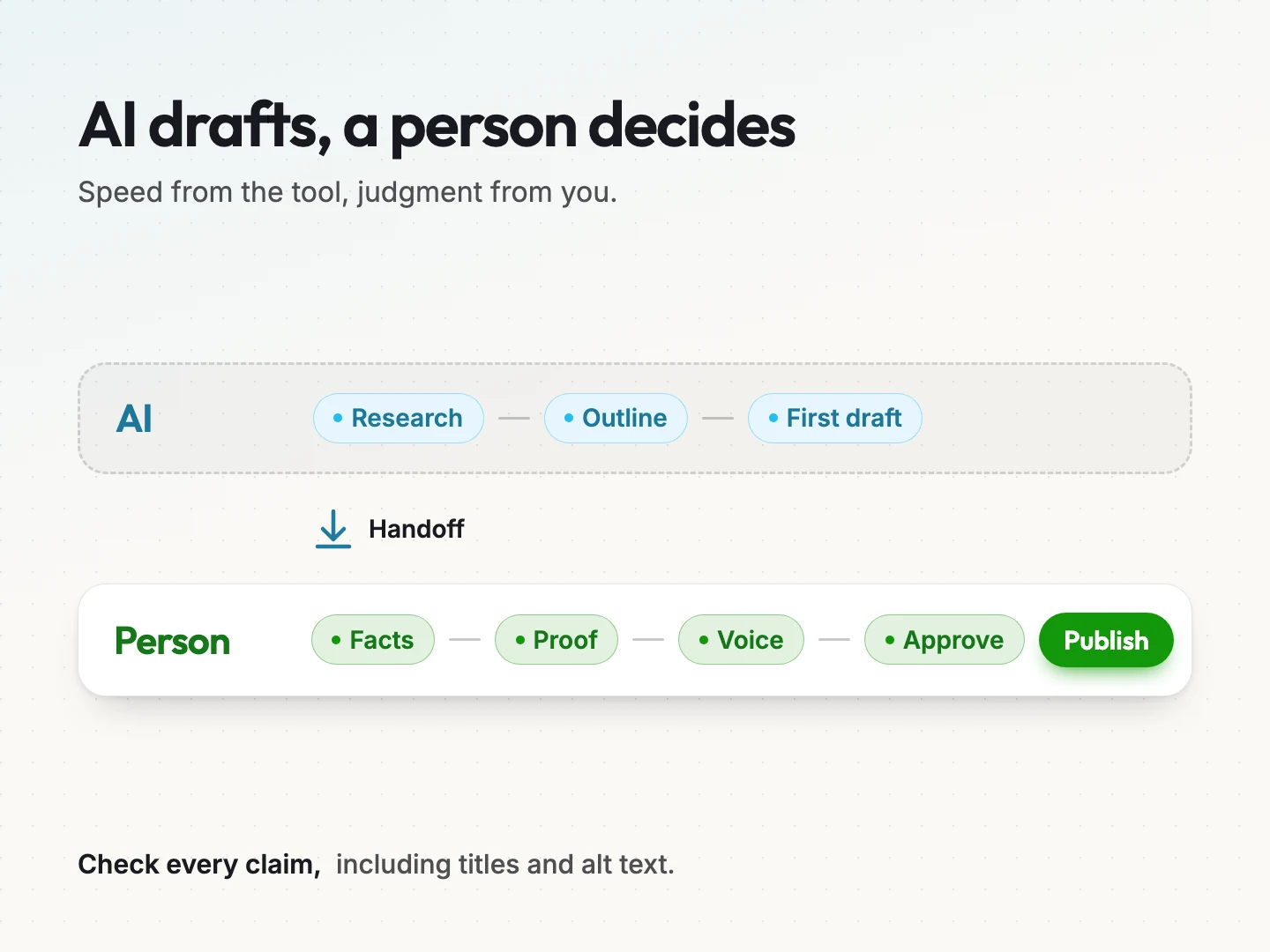
AI writing tools can save real time. They can also publish confident mistakes under your name. The safe approach splits the work: AI helps with speed, and a person owns every fact, example and claim.
What AI is good for.
Used well, AI helps with the slow parts of writing.
- Summarizing research you have gathered, so you can see the main points.
- Suggesting an outline from your brief.
- Writing a rough first draft for a person to edit.
- Offering several headline and description options to choose from.
Google’s page on using generative AI content, last updated on 1 October 2026, says generative AI can help with researching a topic and adding structure to original content. The key word is original. The tool assists, and your knowledge supplies the substance.
What a person must do.
A person has to own four jobs before anything goes live.
- Check facts and links. Open every source, confirm every number and test every link.
- Add proof. Bring in the photos, steps and examples from Step 4.
- Fix the voice. Make it sound like your business, and cut anything vague or overblown.
- Approve. The person named in the brief signs off.
Google gives a clear reason for these checks. The same page explains that AI output can be inaccurate. It says to fact-check and review everything before publishing, including titles, meta descriptions, structured data and image alt text.
Watch the volume, too. Google warns that generating many pages without adding value for users may break its spam policy on scaled content abuse. One checked, useful article will do more for you than ten unchecked ones.
Google’s guide to creating helpful, people-first content, last updated on 5 October 2026, adds a simple frame of Who, How and Why. Make it clear who created the content. Explain how it was made, including any automation, where readers would expect that. Publish mainly to help people, not to attract search traffic.
If you want a drafting process with these checks built in, AI content workflow automation covers how to set one up.
Step 6: Edit and publish with a short pre-launch check.
Editing is where a draft becomes an article people finish. Read it once for sense, once for proof and once out loud. Cut any sentence that does not help the reader decide.
Then run this check before you press publish.
- Title. It names the question and fits in about 60 characters, so it shows in full in search results.
- Description. One or two sentences that say what the reader will learn.
- One main heading. The page has a single H1, the main heading, and it matches the title.
- The answer early. The first 60 words answer the question.
- Three internal links. Link to at least three related pages, such as a service page, a related guide and your contact page.
- Alt text. Every image has a short description of what it shows, for screen readers and search.
- One call to action. One clear next step, not five competing buttons.
- A phone read. Open the page on a phone and read it from start to finish.
The check takes about ten minutes. It catches most of the small issues that make a good article look careless. If writing for search is new to your team, SEO content writing covers how to plan titles, headings and links around what buyers search.
One warning sign from Google’s helpful content guide is worth repeating here. Do not change an article’s date to make it look fresh unless the content has changed in a meaningful way. Update the date when you update the substance.
Step 7: Share each article where buyers already ask.
Publishing is not the last step. A new article usually gets few search visits in its first weeks. The quickest readers are the people already talking to you.
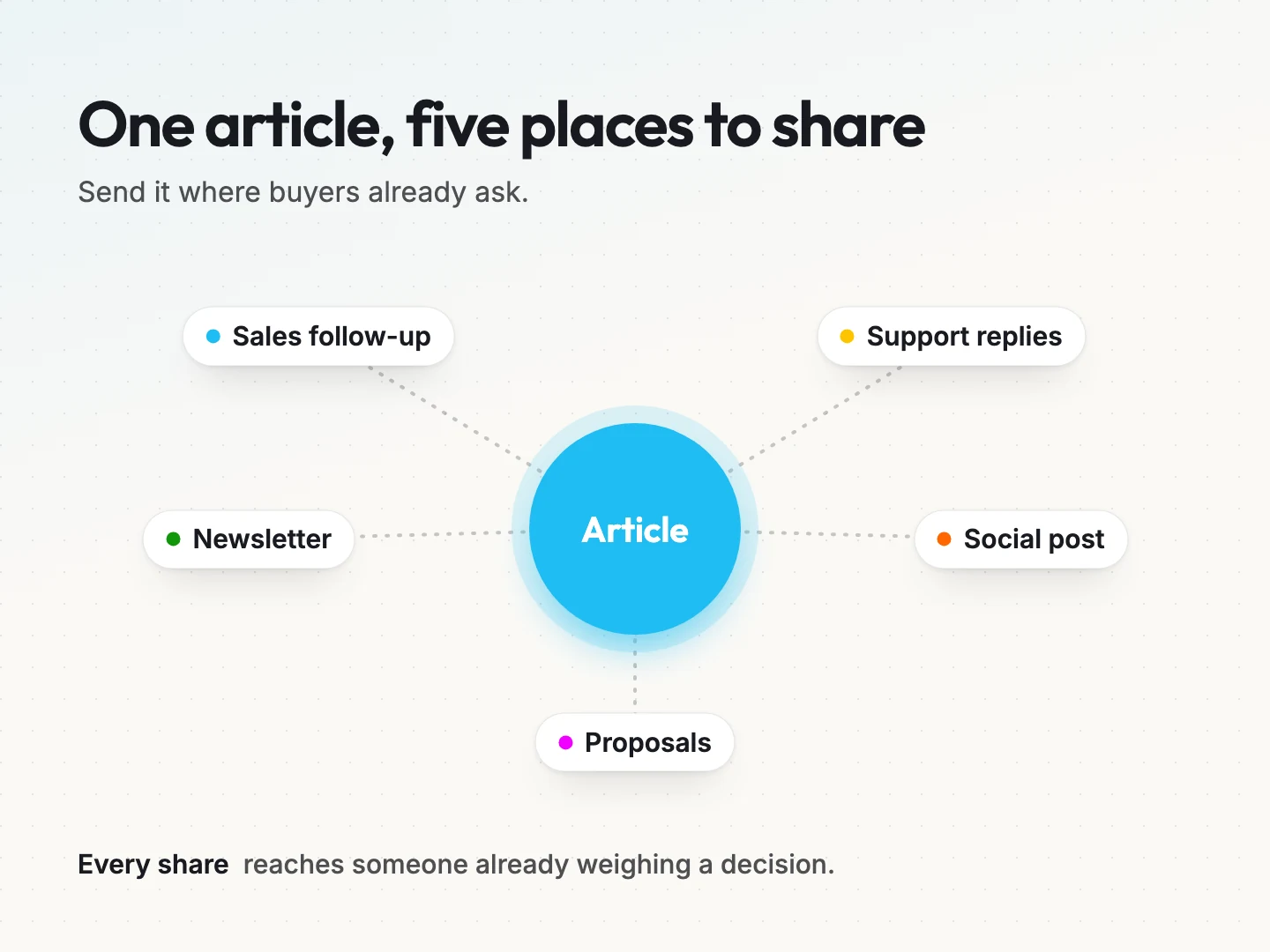
Send each article to five places.
- Sales follow-up. When a prospect asks the question, reply with a short answer and the link.
- Support replies. Save the link as a ready answer, so your team can send it in seconds.
- Your newsletter. Share the article with a one-line reason to read it. Email marketing can make this a regular habit.
- One social post per channel. Pull out one useful point and link to the full answer.
- Proposals. Add the link where a buyer usually has that question before signing.
This is where Step 1 pays off. Because the topic came from real questions, your team has natural moments to share it. Every share puts the article in front of someone who is already weighing a decision.
Keep the shares short and personal. “You asked about permits last week, so here is the full answer” will get read. A bare link with no context often will not.
How to tell whether an article brought in customers.
Page views show reach. They do not show customers. To connect an article to inquiries, track three simple measures in your analytics tool and your inbox.
- Service page clicks from the article. How many readers clicked through to the service or contact page linked in the article.
- Inquiries that mention it. Add “How did you find us?” to your contact form, or ask on the first call, and note when someone names the article.
- Article-to-inquiry rate. Inquiries from the article divided by article sessions. A session is one visit to the page.
Here is a hypothetical example with round numbers. An article gets 400 sessions in its first 90 days. Twenty readers click through to the service page. Four inquiries mention the article. The article-to-inquiry rate is 4 divided by 400, or 1%.
That rate means more over time than on its own. Compare it with your other articles, and with the same article next quarter. A rising rate tells you the answer and the next step are working.
Review every article after 90 days and choose one of three actions.
- Keep. It brings inquiries, so share it more often.
- Improve. It gets readers but few inquiries. Sharpen the answer, add proof or make the next step clearer.
- Merge. It overlaps another article and splits attention. Combine the two into one stronger page and redirect the old address.
If you use Google Search Console, Google’s AI features page says traffic from AI Overviews and AI Mode is counted in the Performance report under the “Web” search type. It does not appear as a separate line. So judge each article by the inquiries it starts, not by where the visits came from.
Final thoughts on articles that bring in customers.
Blog articles that bring in customers are not about volume or length. Each one answers a real buyer question, puts the answer first, proves it with your own work and points to one next step. Your team shares it, and you check whether it started conversations.
Start small. Collect a week of questions, write one brief and publish one article you would happily send to a prospect. Then repeat the seven steps with the next question on your list.
If you would rather hand off the writing, blog writing covers articles built around your buyers’ questions. To talk through the questions your team answers every week and how to turn them into articles that bring in inquiries, talk to a specialist at Scayver Graphix.
Was this article helpful?
